A behaviour analyst at the end of a long day, looking straight at the camera.

Does your ABA software
make you feel like this?

Meet cue.

The operating system for ABA clinics

Scheduling, clinical data, notes, authorizations, billing, and team communication—in one connected platform.

A better ABA clinic day
Today, before anything else

You open Cue. It tells you what is wrong.

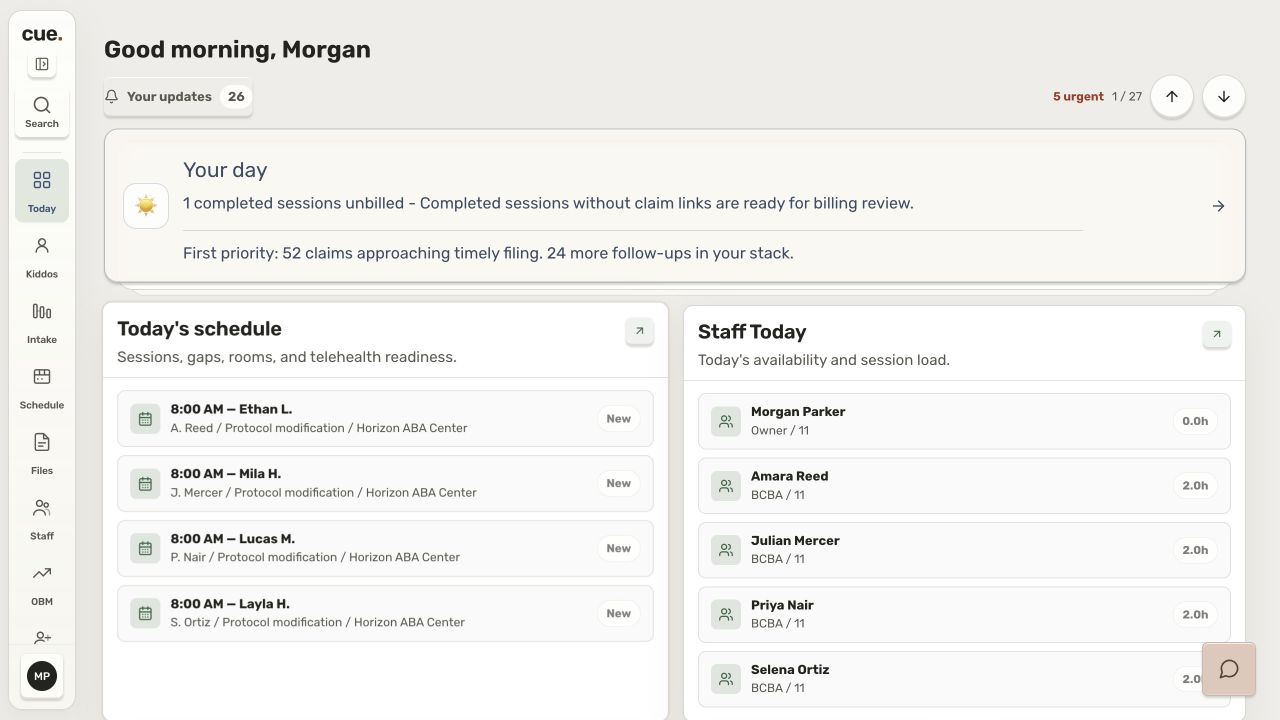
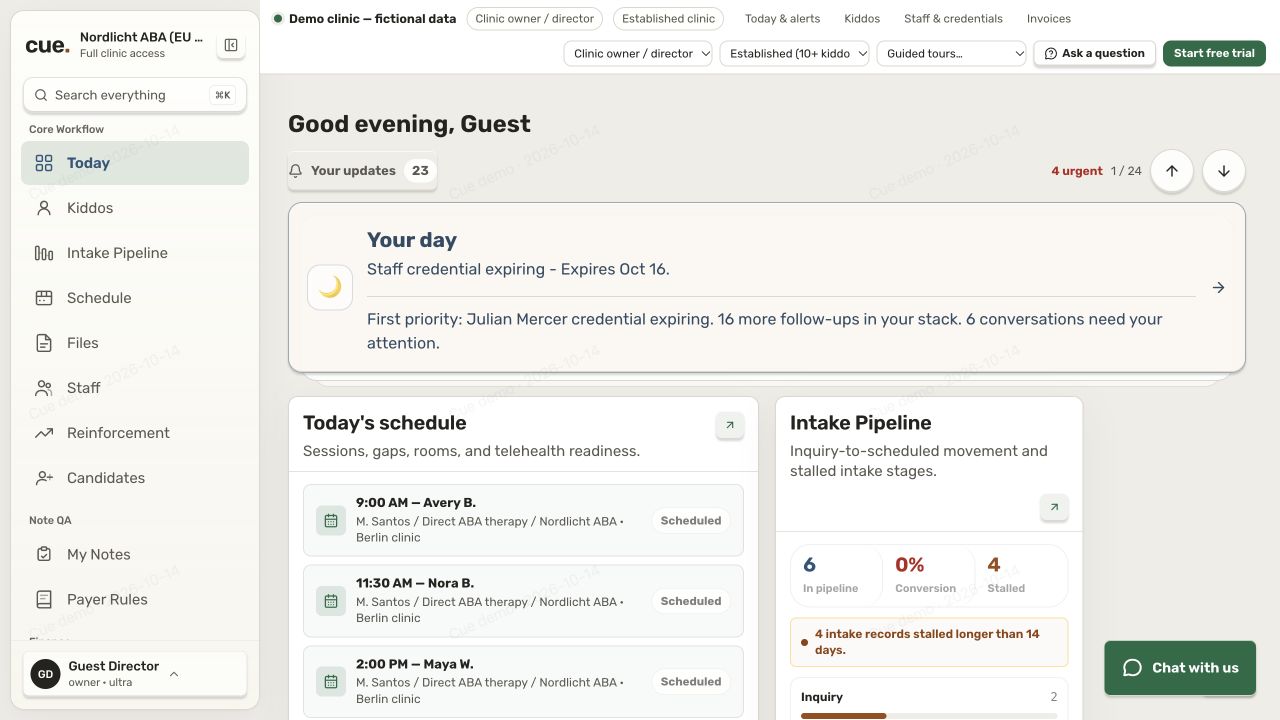
Today is the first screen, not a tab to find. Every same-day blocker Cue can see, ranked — each one saying what it is, how big it is, and the one place that clears it. There is nothing to interpret and nowhere to go looking.

Today Morning brief · 7:00
Owner
Act now3 blocking today
  • Documentation
    Signature requests waiting

    12 requested signatures are past 72 hours. Billing is not waiting on them, but the audit or payer that asked is.

    12 critical Open co-sign queue → Cleared
  • Revenue
    Rejected claims

    6 claims were rejected yesterday. Work the top rejection categories before they age past appeal.

    6 rejected Review rejected claims → Cleared
  • Compliance
    Supervision compliance gap

    3 of 14 active RBTs have no supervision logged this month. There are 9 calendar days left to protect the 5% minimum.

    3 RBTs Schedule supervision → Cleared
Today’s numbers
34sessions scheduled
91%coverage, 2 slots open
9notes due today
$64.2krevenue month to date
Looking ahead
4 authorizations expire in the next 14 daysMar 14 first
2 staff credentials expire in the next 30 daysApr 2 first

Three things are in the way this morning, in the order they cost you. Nobody had to know where to look for any of them.

And when there is nothing: “No critical blockers detected.” Cue says so rather than filling the screen with amber, which is the only reason the red means anything on the mornings it appears.

Care Graph™ Only in Cue

Add her once. Remove her once.

A new technician starts, and someone adds her by hand to every place she needs to be. Then in June she leaves, and someone has to remember all of them. The Care Graph is Cue’s own algorithm for who belongs where: it works out the rooms a person should be in from the cases they hold, and closes them when the case goes.

The usual way
  • The platform
  • +
  • Team chat
  • +
  • Parent text thread
  • +
  • The family’s WhatsApp group

Multiple doors to open. Every one of them to remember five months later — and the one everybody forgets is the group chat where a family is still talking about their kid. Nobody forgets on purpose.

KR
Kayla Reyes RBT · finished onboarding Tuesday
No cases
Maya’s care team channel

Her BCBA, her technicians and her parents, already in it.

Opened
Maya’s record

Programs, data, notes — and nothing belonging to anyone else.

Opened
Her schedule

Maya’s sessions appear on it, in the app and on the wall.

Opened
The family

Maya’s parents can reach her, and she can reach them back.

Opened

One assignment. Nobody was invited to anything.

How your clinic works in Cue

See your day in Cue.

Explore a clinic day as an owner, a BCBA, or an RBT.

Our ABA story

Built in a clinic, by the people who run one.

We are clinicians. We bought the platform everybody buys, signed the expensive contract, and still spent our days in multiple applications putting out the same fire.

  1. 01

    Generic platforms, and the numbers never agreed.

    Thin capability, one screen disagreeing with the next, and an invoice at the end of it. Everything the platform could not do, we did by hand in something else.

  2. 02

    So we built the one that tells you what needs you now.

    Not a filing cabinet you go digging in. A platform that brings the thing that needs attention to your attention, this morning, while it is still small enough to fix.

  3. 03

    And made it bend to how your clinic actually runs.

    Behaviour therapy is the same science everywhere. Running a clinic is not. Statuses, note rules, session types, discharge reasons, pay types, permissions — configured by you, not assumed by us.

  4. 04

    Then we automated the mundane.

    Every task we could take off a person, we took off. A BCBA should spend the day being excellent at clinical work, not at data entry.

Over ten years running ABA clinics. We know the good years and the hard ones — and we built for both.

Everything in the platform

Alive. It tells you what needs doing now.

Cue watches the things that quietly cost an ABA clinic money and raises each one while it is still small. Eight parts of the clinic, one morning, nobody asked:

  • AuthorizationsMaya’s hours are 82% used with three weeks still to run.
  • DocumentationNine notes are written and unsigned. The oldest is four days old.
  • CredentialsA technician’s certification expires in 26 days.
  • SchedulingTomorrow at 8:00 has nobody on it, and two people free.
  • RevenueThe same rejection code has come back eleven times from one payer.
  • SupervisionAt this rate one technician lands at 3.8% for the month.
  • FamiliesA family has not opened the portal in three weeks.
  • BillingFour claims reach their filing deadline on Friday.

Eight parts of the clinic. Nobody went looking for any of them.

cue.

And then everything under it.

One platform and one login. A session your team runs is collected once, and the note, the authorization draw-down and the claim are each built from it.

01

Intake and the chart

Getting a family in, and keeping their record straight.

  • Leads and enquiries
  • A five-stage intake pipeline
  • Benefits verification
  • The kiddo record
  • Care team and contacts
  • Documents and consents
  • Authorizations at code level
  • Burn rate against granted hours
  • Reauthorization raised early
  • Discharge and transition
02

The session

What happens in the room, and everything that has to be true first.

  • Month, week and shift calendars
  • Conflict and ratio checks
  • Rates resolved as you book
  • Session types and templates
  • Coverage gaps, with candidates
  • Check-in with GPS and geofence
  • Five measurement types
  • Prompt levels and domains
  • Data collection with no signal
  • Notes drafted from the data
  • The co-sign queue
  • Supervision ratios
03

The clinical work

What you are teaching, and when a target counts as learned.

  • Programs, targets and prompting
  • Mastery criteria that auto-advance
  • Plateau flagging
  • Versioned protocols
  • Probe, active, mastered, discontinued
  • Assessments scored as you go
  • Treatment plans
  • Progress reports
  • Graphs that move with every session
04

The money

One session record, travelling in both directions.

  • Payer contracts and rates
  • Service lines and data mapping
  • Claim assembly and scrubbing
  • Electronic claim files
  • Filing deadlines, watched
  • Receivables aging
  • Denials grouped by cause
  • Denial patterns across a payer
  • Remittance posting
  • Payroll from sessions delivered
  • Drive time and overtime
  • Revenue, P&L and forecasts
  • Multi-location rollups
05

The people

Everyone who works here, and everything that expires.

  • Staff directory and profiles
  • Role permissions, set per clinic
  • Lead technician abilities
  • Credential expiry countdowns
  • Renewal alerts at 90 days
  • Credentialing and panel readiness
  • A candidate pipeline
  • Offers sent and signed by link
  • Onboarding paperwork, filed
  • The 40-hour RBT course
  • Practice, exam and certificate
  • Cue Campus and guides
  • Retention and turnover signals
06

The families

The people the whole thing is for.

  • The parent portal
  • Progress snapshots
  • Schedule and documents
  • Messaging with the assigned team
  • A care team channel per child
  • Praise and celebrations
  • Engagement scoring
  • Parent training modules
  • A portal in your own branding
07

Running the clinic

The view from the chair you actually sit in.

  • Today and the action queue
  • Dashboards scoped to your role
  • Morning, afternoon and closeout briefs
  • Widgets and trends
  • Clinical, billing and payroll reports
  • Spreadsheet exports
  • Consent and data-subject requests
  • Requirements by state
  • An append-only audit log
  • Breach incident reporting
  • Clearinghouse, chat, email and calendar links
  • Source-health monitoring
  • Import from another system
  • Settings for every module
08

Beyond the browser

Where the work actually happens.

  • iPhone and iPad
  • Android
  • Apple Watch and Wear OS
  • Standalone on LTE, no phone needed
  • An installable web app
  • Universal search
  • Cue Chat on every page
  • A session that survives a dead zone

Some of this belongs to higher plans — the full matrix, line by line, is on the pricing page.

Getting started

Explore the product. Meet the team helping you get started.

The screens above illustrate how the work moves between people. The demo is the product itself — open it and check.

Access follows the assignment.

End it, and it ends everywhere at the same instant — the chart, the conversation, the schedule, the family thread. The safest permission is the one nobody had to remember to revoke.

Open the demo yourself.

No form and no sales call. It runs on sample data, and you can click into any part of it.

Open the demo →

We help you move in.

We bring your existing records across, run both systems through one billing cycle, and train each role on the part they use.

How switching works →

The people who built it answer.

Support comes from the team that wrote the software, and every price is published before you talk to anyone.

See pricing →
Cue Sentry™ Only in Cue

Two different promises, and they are not the same one.

Keeping a record safe means two things that get confused constantly. Cue Sentry is everything that keeps other people out — the encryption, the separation, the audit trail, the role scopes. Cue Assure is the opposite problem: making sure nothing you entered is ever lost. One guards the door. The other makes sure nothing falls out of the bag.

Cue Assure™ Only in Cue

Zero-Loss Data Protocol

Built so a dropped connection never costs a data point.

Every trial, tap and signature in a session is captured on the device the instant it is entered — before it ever touches the network. A dead zone, a closed tab or spotty Wi-Fi cannot cost a BCBA or an RBT a data point — and nothing is left sitting afterwards, because Cue tells the person who has to finish the session what is outstanding and where to close it.

  • Capture first. Data is written to the device the moment it is recorded, before any network call is attempted.
  • Nothing is left to be noticed. A session that still needs a signature to be finished does not wait for somebody to spot it. The BCBA who has to sign is told in their action queue, in the app and on their phone, with the sessions named and the one place that clears them.
  • Never counted twice. Every session carries its own id, so a replay updates the record it already created rather than making a second one — with no time limit, so a session that arrives days late still cannot bill the visit twice.
  • Always visible, never silent. If anything is still waiting, you are told how many and what is in them — EVV, notes, signatures. Nothing fails quietly.

Built for the reality of clinical work — sessions happen in classrooms, homes and cars, not next to guaranteed Wi-Fi.

Cue Sentry™ · keeping others out

The protections underneath all of it.

  • HIPAA-aligned, and we sign a BAA. Cue acts as your Business Associate. If an incident touches your data the notification duty is ours, and the 60-day clock is tracked in the software rather than in somebody’s calendar.
  • Encrypted three times over. In transit, at rest, and again at the field: the values that identify a child are encrypted individually with AES-256-GCM. A missing key stops the write rather than storing a name in the clear.
  • Separated by the database, not the app. Row-level security on 231 tables, carrying 646 policies. A query that forgets a filter returns nothing, not somebody else’s kiddo.
  • An audit log nobody can edit. Insert and read have policies. Update and delete have none, so there is no path to change a record of who looked at what.
  • Every role sees only its own work. An RBT sees their assigned caseload and no list of other children to search. A parent sees their own child, exclusively.
  • No kiddo’s name on a lock screen. Notifications say there is something to look at, not who it is about.
Learn more about our security →
What it costs

Start free. Grow into it.

Free for your first 5 active kiddos — no time limit, no card. After that three paid plans, priced per active kiddo per month and published so you can plan against them: Cue+, Cue Pro and Cue Ultra, each starting with a 14-day free trial. Unlimited staff on every plan. Pay annually and you are billed for ten months of the twelve.

We onboard new clinics monthly, so there is a queue rather than a signup wall. Request an invite and we will tell you the month, not a maybe.

★ Free up to 5 kiddos

Request your invite

Tell us the size of your clinic and where you are today. We onboard new clinics monthly, and every price is on the pricing page before you talk to anyone.

Limited spots · onboarding new clinics monthly · no card to start